
17. Petty cash
Setting up the vault, top-ups, expenses, approvals and closing a period.
What petty cash is for
Petty cash is the small amount of cash the office keeps for day-to-day spending: tea, stationery, a plumber's visit, a courier. In this system that cash sits in a vault. You move money into the vault from the bank (a top-up) and record each payment out of it (an expense). The vault balance always shows how much cash should be in the drawer.
Use petty cash for small, one-off spending. Regular suppliers and contracts belong under Vendors, where every payment is approved before it is posted.
The Petty Cash screen shows four figures at the top:
| Vault Balance | Cash available now. Expenses waiting for approval have not been taken off yet. |
| Per-Txn Limit | The largest single expense that is posted without approval. |
| Pending Approval | How many of this month's expenses are waiting for a decision. |
| Current Period | The current month, for example 2026-08, and whether it is open or closed. |
Below them are two lists for the current month: Expenses and Top-Ups. The screen refreshes itself every half minute.
Open Petty Cash arrow_forward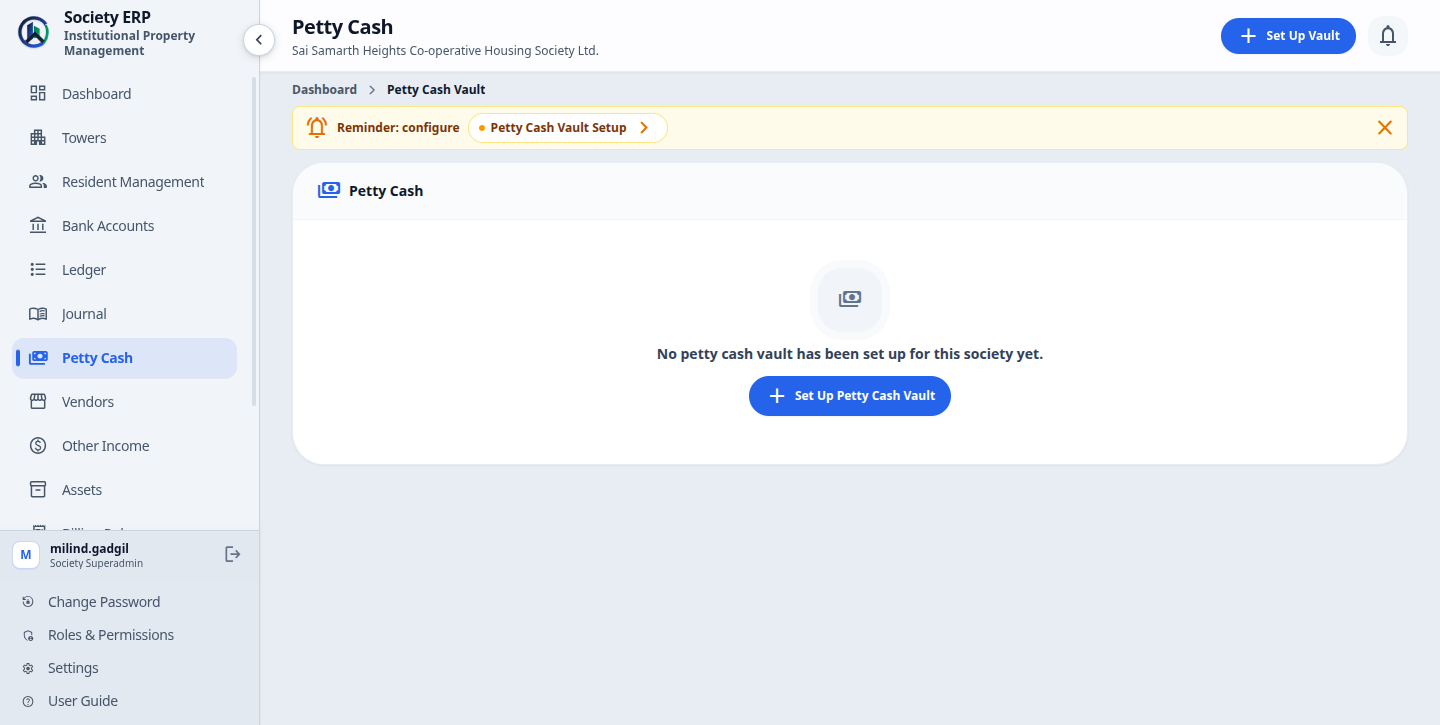
Setting up the vault
The vault is set up once per society. Until it exists there is nothing to top up or spend from.
- Open Petty Cash and click Set Up Vault . The same form is under Settings , Petty Cash Vault Setup .
- Fill in the fields below and click Save .
| Per-Transaction Approval Limit (₹) | An expense above this amount waits for approval. An expense equal to or below it is posted at once. Starts at 2,000. |
| Vault Ledger Account | The ledger account that represents the cash in the vault. Left on Use system default (ASSET-002), the system uses Petty Cash Vault. |
| Top-Up Source Ledger | The bank or cash ledger that top-ups are taken from. Left on Use system default (Bank Accounts Ledger), top-ups come out of the Bank Accounts Ledger. |
| Active | Leave ticked. |
To change any of these later, click Vault Settings on the Petty Cash screen. Only active ledger accounts are offered in the two lists.
Where expenses are posted
Each expense is debited to Petty Cash Expenses (EXP-005) and credited to the vault: Petty Cash Vault (ASSET-002) by default, or your own Vault Ledger Account if you chose one. The Ledger column with the voucher number appears in the lists only when a vault ledger is chosen; with the default, the vouchers are still created and can be found in the Journal.Topping up the vault
A top-up records cash drawn from the bank and put into the vault.
- Click Top Up . The form tells you which ledger the cash is moved from.
- Enter the Amount (₹) and the Date.
- Optionally enter a Reference Number (cheque or withdrawal slip number) and Remarks.
- Click Top Up .
The vault balance goes up straight away and a voucher is posted. No approval is needed. A top-up cannot be edited or removed once saved, so check the amount before you save. To undo one, use Refund (see Refunding an expense or top-up below).
Logging an expense
- Click Log Expense . The form shows the available balance and the per-transaction limit.
- Enter the Amount (₹), the Date and a Description of what the money was spent on.
- Under Invoices / Bills, attach the bill or receipt if you have it. This is optional and you can add it later.
- Click Log Expense .
What happens next depends on the amount:
| More than the vault balance | Refused. Nothing is saved. Top up the vault first. |
| Up to the per-transaction limit | Saved as Posted. The balance goes down and a voucher is posted. |
| Above the per-transaction limit | Saved as Pending Approval. The balance does not change and nothing is posted until it is approved. This applies to everyone, including the Superadmin. |
Attachments can be PDF, JPG or PNG, up to 10 files at a time.
Approving or rejecting an expense
Each expense marked Pending Approval has two buttons in the Actions column.
- Click Approve or Reject on the expense's row.
- Add a Remark if you wish. It is optional.
- Confirm with Approve or Reject .
- Approved: the expense becomes Posted, the vault balance goes down and the voucher is posted, dated with the expense date.
- Rejected: the expense is marked Rejected and stays in the list as a record. The balance is not touched.
- The balance is checked again at approval. If the vault no longer holds enough cash, the approval is refused until you top up.
- A posted or rejected expense cannot be edited or reopened. A posted expense can be refunded.
Refunding an expense or top-up
Refund undoes a posted entry without deleting it.
- For an expense, open the three-dot menu in its Actions column and choose Refund . For a top-up, click Refund on its row.
- Add a remark and confirm.
- The entry's voucher is reversed and the entry is marked Refunded. It stays in the list as a record.
- The vault balance is recalculated: refunded top-ups are left out and only posted expenses are taken off.
- Only a Posted expense can be refunded, and only while its month is open. A closed month blocks it: reopen the period first.
- Refunding a top-up can take the vault balance below zero if the cash has been spent. The screen warns you.
- An entry can be refunded once. Refund needs the Expense Approval permission (for expenses) or the Top-Up permission (for top-ups).
Attaching bills later
Bills often arrive after the cash has been paid. You can add them to an expense at any time, whatever its status, even after the month is closed.
- In the Invoice/Bill column of the expense, click Attach . If the expense already has files, open the files menu and choose Add more files .
- Choose one or more files (PDF, JPG or PNG) and click Upload .
New files are added to the ones already on record. Nothing is replaced, and attaching a file does not change the ledger.
Monthly periods, closing and reopening
Petty cash is kept month by month. A period is one calendar month, written as year and month (2026-08). The system opens a period by itself the first time it is needed. Every top-up and expense belongs to the month of its Date, not the day you typed it in. The Petty Cash screen lists the current month only. Use Book History to see the others.
Closing a period locks it once the cash has been counted and agreed.
- Approve or reject every expense that is still Pending Approval. A period with pending expenses cannot be closed.
- Click Close Books for 2026-08 (the button shows the current month) and confirm with Close Books .
The period is now marked Closed and the vault balance at that moment is saved as its closing balance. No top-up or expense with a date in that month can be recorded. Bills can still be attached.
To undo it, click Open Books for 2026-08 and confirm with Open Books . A period can be reopened only while it is still the latest one. Once a later month has started, it stays closed.
Close the month before it ends
The close button is offered for the current month only. Close the books on the last working day, after the final expense is entered.Book History
Click Book History on the Petty Cash screen to see every month ever opened, newest first. Each row shows the status (open or closed), Opening balance, Top-Ups, Expenses (posted ones), Closing balance and who closed it. Open a row to read that month's expenses and top-ups, with the net movement and any expenses still pending. These pages are read-only.
What is posted to the ledger
You never write these vouchers yourself. With the default vault settings:
| When this happens | Debit | Credit |
|---|---|---|
| A top-up is saved | Petty Cash Vault | The Top-Up Source Ledger (default Bank Accounts Ledger) |
| An expense is posted or approved | Petty Cash Expenses | Petty Cash Vault |
| An expense or top-up is refunded | A reversing voucher swaps the original debit and credit. | |
| An expense is pending or rejected | Nothing | Nothing |
A top-up is posted as a Contra / Bank Transfer voucher and an expense as a General Journal voucher. Closing or reopening a period posts nothing.
Open Journal arrow_forwardCommon problems
- "Expense of ... exceeds the available petty cash balance": the vault does not hold enough. Record a top-up, then log or approve the expense again.
- "Petty cash period ... is closed": the date you entered falls in a closed month. Use a date in an open month, or reopen the period if it is still the latest one.
- "... has pending-approval expenses that must be approved or rejected before closing": decide on every pending expense, then close.
- "... cannot be reopened because a later period already exists": a newer month has started. Record a correcting voucher in the Journal instead.
- An expense or top-up you just saved is not in the list: its date is in another month. The screen shows the current month only. The voucher is in the Journal.
- The balance did not go down after logging an expense: the amount is above the per-transaction limit, so the expense is waiting for approval.
- The Top Up and Log Expense buttons are missing: the vault has not been set up yet, or your role does not include those actions.