
8. Ledger
Ledger accounts, the ledger book, and per-account statements.
What the ledger is
The ledger is the society's chart of accounts: the list of heads under which every rupee is recorded. Each account is one of five types.
| Type | What it holds | Normal balance |
|---|---|---|
| Asset | What the society has or is owed: bank, petty cash, dues from flats, fixed assets. | Debit |
| Liability | What it owes or holds in trust: sinking fund, repair reserve, GST payable. | Credit |
| Revenue | Income: maintenance fees, penalties, bookings. | Credit |
| Expense | Spending: vendors, petty cash, waivers given. | Debit |
| Equity | Opening balances brought into the system. | Credit |
Balances are never typed in or stored. An account's balance is always the total of the posted journal vouchers against it, so the ledger and the journal cannot disagree.
Open Ledger arrow_forward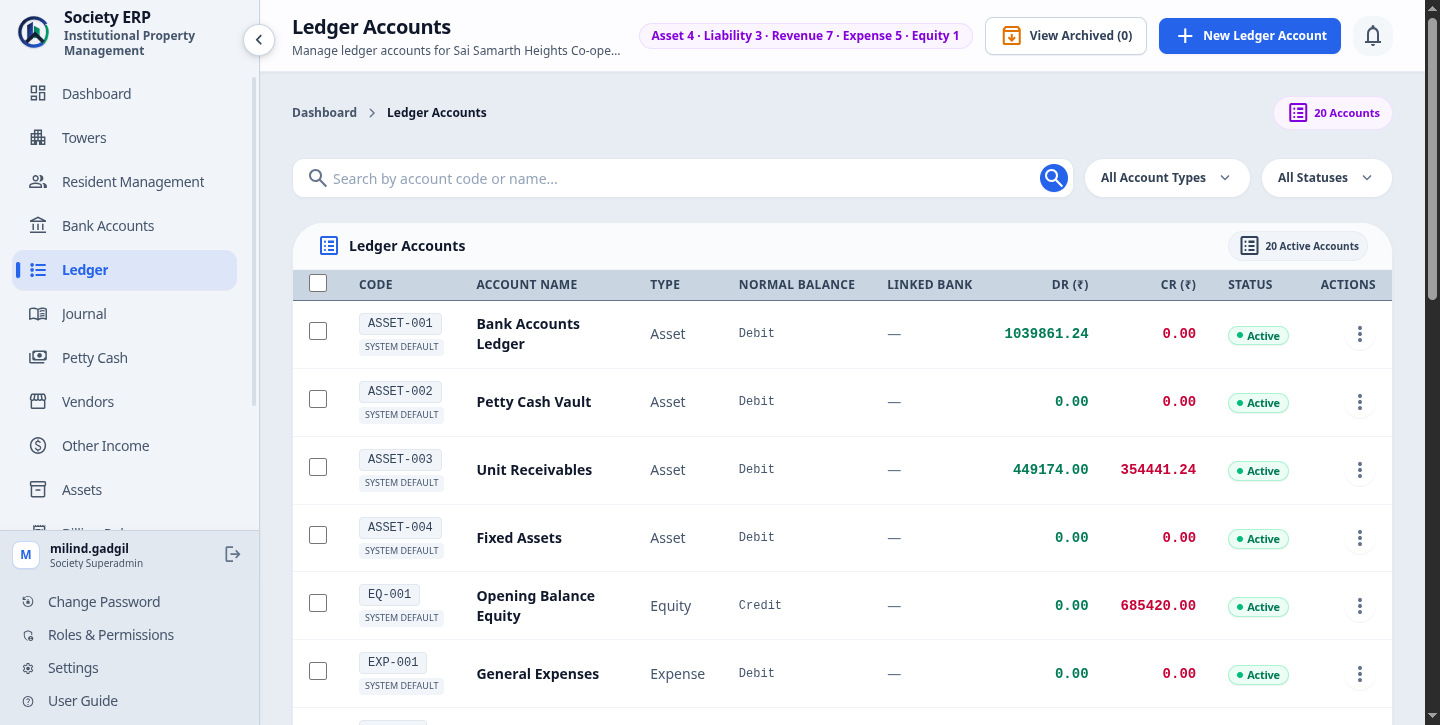
The accounts you start with
A new society has these accounts. The system posts to them automatically, so keep them active.
| ASSET-001 | Bank Accounts Ledger | Default for all money received and paid. |
| ASSET-002 | Petty Cash Vault | Cash held in the petty cash vault. |
| ASSET-003 | Unit Receivables | What flats owe: goes up when a bill is issued, down when it is paid or waived. |
| ASSET-004 | Fixed Assets | Purchased assets. |
| LIAB-001 | Sinking Fund Corpus | Sinking fund collected. |
| LIAB-002 | Structural Repair Reserve | Repair fund collected. |
| LIAB-003 | GST Output Tax Payable | GST charged on bills and penalties. |
| EQ-001 | Opening Balance Equity | The other side of every opening balance. |
| REV-001 to 007 | Income heads | Maintenance Fees, Non-Occupancy Charges, Facility Booking Income, Late Penalty Income, Water Charges, Common Area Maintenance Income, Other Income. |
| EXP-001 to 007 | Expense heads | General Expenses, Electrical & Maintenance, Petty Cash Expenses, Vendor Expenses, Waivers & Discounts Allowed. |
Adding a ledger account
- Open Ledger and start a new account.
- Enter an Account code, unique in the society. Follow the existing pattern, for example REV-008 or EXP-010.
- Enter the Account name, up to 30 characters and also unique.
- Choose the Account type and the Normal balance (see the table above).
- Optionally link a Bank account, and tick Child Accounts to nest existing accounts under this one. A ledger linked to a bank account shows it as Linked Bank Account on its page, with the masked account number, branch, IFSC and type.
- Save.
The form checks the code and the name as you type and tells you if either is taken.
Opening balances
If the society had money in the bank, or flats already owed dues, before it started using the system, bring that in as an opening balance. It is recorded as a posted journal voucher of type Opening Balance against Opening Balance Equity: a debit-type account is debited, a credit-type account is credited.
Write it as a journal voucher (chapter 9): choose the type Opening Balance, put the account on one line and Opening Balance Equity on the other, and post it.
Ledger book and statements
- Open the Ledger Book , from the Dashboard's quick actions or the Journal page.
- Choose a ledger account, or click an account in the Ledger list.
- The statement lists each posted voucher in date order with debit, credit and the running balance.
- Set the date range. It opens on the current month; clear both dates to see the full history.
- Download the statement as a PDF for auditors or committee meetings.

Deactivating and archiving
- An account in active use cannot be deactivated or archived: for example one a billing rule credits, one a vendor posts to, or one linked to a payment mode. The message lists what is using it. Past invoices and posted vouchers do not block.
- Archiving hides the account from forms. Its history stays in every statement and report.
- Permanent deletion is refused for an account that has journal entries.